

Bar coloring
Recolor the chart's own candles with barcolor(): color by trend or signal, leave bars alone with na, and when to draw your own candles instead.
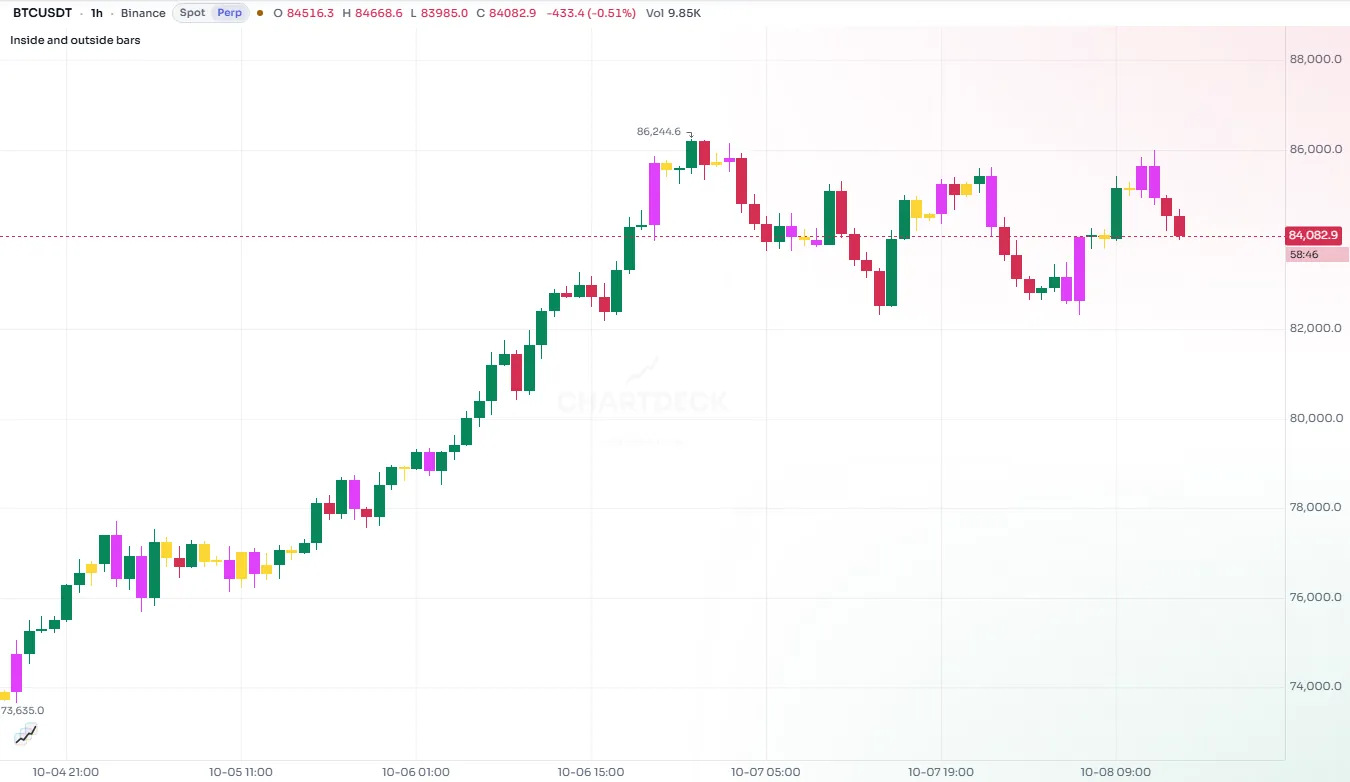
barcolor changes the color of the chart's own candles. Instead of drawing something next to the price, your script paints the price itself: candles turn one color in an uptrend and another in a downtrend, or light up on the bars where a signal fires.
It is a strong visual, which is both its appeal and its risk. Use it for one clear idea per chart.
#Color candles by trend
//@chartscript 1
indicator("Trend candles", { overlay: true })
const len = input.int(50, "Trend length", { minval: 2 })
const avg = ta.ema(close, len)
plot(avg, "Trend average", color.muted, 2)

// candles above the average in the up colour, below it in the down colour
barcolor(close > avg ? color.up : color.down, { title: "Trend" })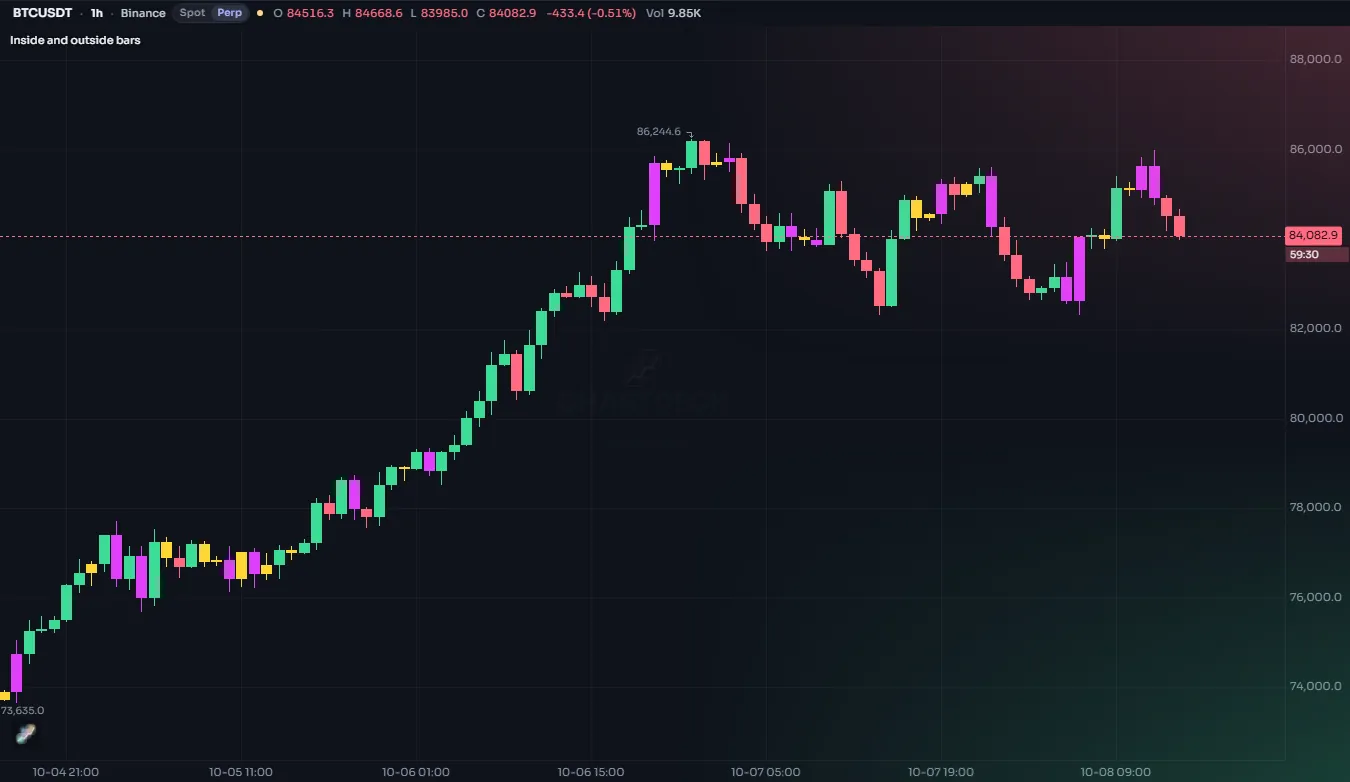
| Argument | What it does | Default |
|---|---|---|
color | The candle's color on this bar. na keeps the chart's own color. | required |
offset | Shift the coloring this many bars right (negative: left) | 0 |
title | The name in the Style tab | "" |
display | display.all or display.none (may be an input) | display.all |
editable and show_last are accepted for compatibility and change nothing in this version.
#Color only some bars
na leaves a candle exactly as the chart would draw it. That makes barcolor a highlighter: color the bars that matter and leave the rest alone.
//@chartscript 1
indicator("Wide-range bars", { overlay: true })
const mult = input.float(1.8, "Times the ATR", { minval: 0.5, step: 0.1 })
const wide = high - low > ta.atr(14) * mult
barcolor(wide ? color.orange : na, { title: "Wide range" })#Shades of strength
The color can be any expression, so candles can show how strong a move is, not just its direction. Here the RSI picks a color between the down and up colors:
//@chartscript 1
indicator("RSI-tinted candles", { overlay: true })
const rsi = ta.rsi(close, 14)
barcolor(color.from_gradient(rsi, 30, 70, color.down, color.up), { title: "RSI tint" })
A semi-transparent bar color does not blend with the original candle color underneath: ChartDeck clears the candle first and paints it in your color, so color.new(color.up, 50) gives a faded candle, not a muddy mix.
#From a script in its own pane
barcolor always colors the candles on the price pane, even when the script itself draws in its own pane. An oscillator can color the price by its own state:
//@chartscript 1
indicator("MACD with candle colours", { overlay: false })
const fastLine = ta.ema(close, 12)
const slowLine = ta.ema(close, 26)
const macd = fastLine - slowLine
const signal = ta.ema(macd, 9)
plot(macd, "MACD", color.accent, 2)
plot(signal, "Signal", color.orange)
hline(0, "Zero", color.muted, hline.style_dotted)

barcolor(macd > signal ? color.up : color.down, { title: "MACD side" })#More than one coloring
Within one script, you may call barcolor several times. The calls are applied in the order they appear in the code, and a later call wins on every bar where its color is not na. Put the general rule first and the exceptions after it:
const avg = ta.ema(close, 50)
barcolor(close > avg ? color.new(color.up, 40) : color.new(color.down, 40), { title: "Trend" })
// the exception: strong breakouts in full colour, painted over the trend colour
barcolor(ta.crossover(close, ta.highest(high, 20)[1]) ? color.orange : na, { title: "Breakout" })
When several scripts on the same chart color the candles, the one added to the chart last wins.
#Which chart types it affects
barcolor recolors the chart's standard candles and bars. Chart types that are drawn differently (hollow candles, Heikin Ashi, line, area and the other special types) are left as they are. If your script depends on colored candles, say so in its description.
#Drawing your own candles instead
When you want candles that differ from the chart's, not just in color but in their values (smoothed candles, Heikin Ashi computed by your script, candles of another series), draw them yourself with plotcandle or plotbar. Their color, wickcolor and bordercolor may all change from bar to bar.
//@chartscript 1
indicator("Smoothed candles", { overlay: false })
const len = input.int(5, "Smoothing", { minval: 1 })
const o = ta.ema(open, len)
const h = ta.ema(high, len)
const l = ta.ema(low, len)
const c = ta.ema(close, len)
plotcandle(
    o,
    h,
    l,
    c,
    "Smoothed",
    c >= o ? color.up : color.down,
    { wickcolor: color.muted, bordercolor: c >= o ? color.up : color.down }
)
See Plots for more on plotcandle, plotbar and plotarrow.