

Your first indicator
Build a moving average indicator line by line, see what each line does on the chart, then grow it with a second line and a color that follows the trend.
In this page you write a small indicator from nothing: a moving average drawn over the candles. It is only five lines long, but those five lines use every part a real indicator needs: the header, the declaration, an input, a calculation and a plot. After that you change it twice, so you see how a script grows.
If you have not opened the editor yet, Your first script shows where it is, and the editor tour explains its tabs.
#The whole script
Here is where you will end up in the first part. Read it once, then we go through it line by line.
//@chartscript 1
indicator("My first average", { overlay: true })
const len = input.int(20, "Length", { minval: 1 })
const avg = ta.sma(close, len)
plot(avg, "SMA", color.accent, 2)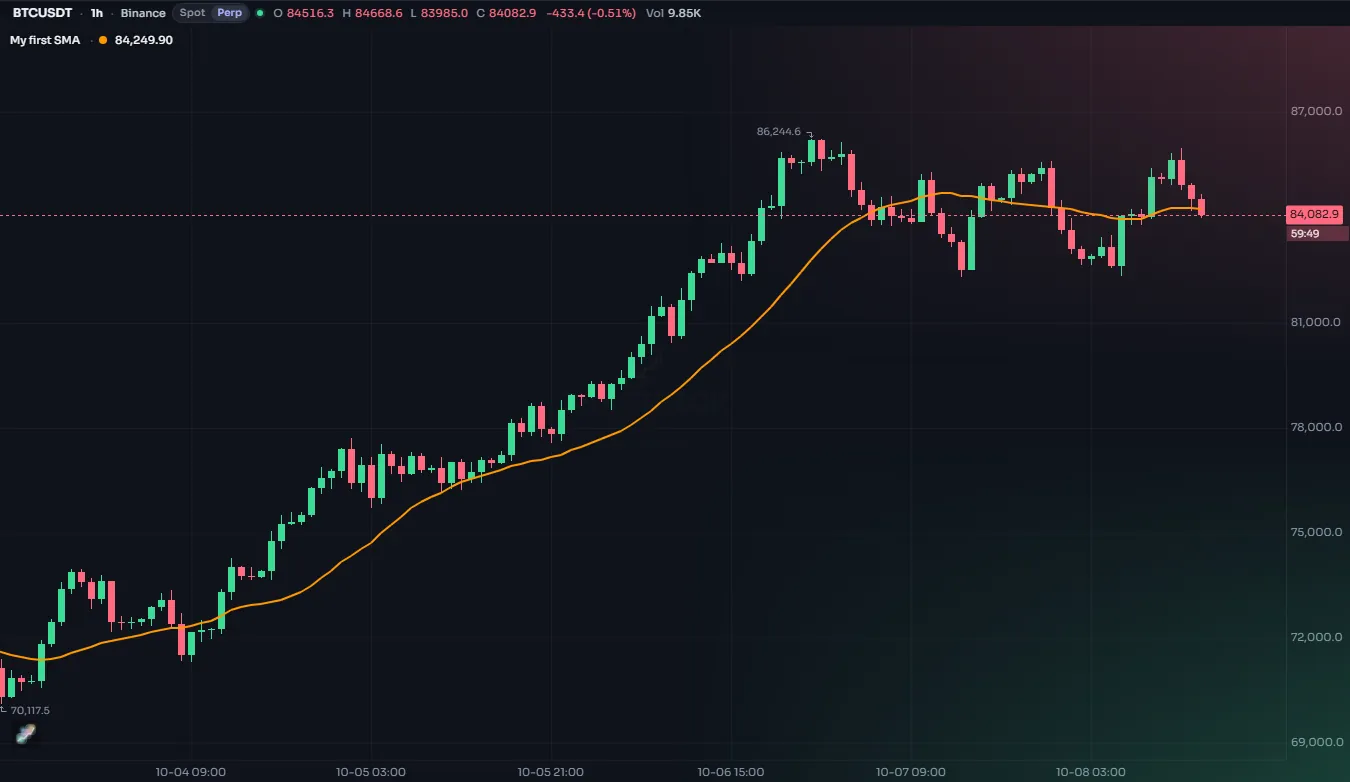
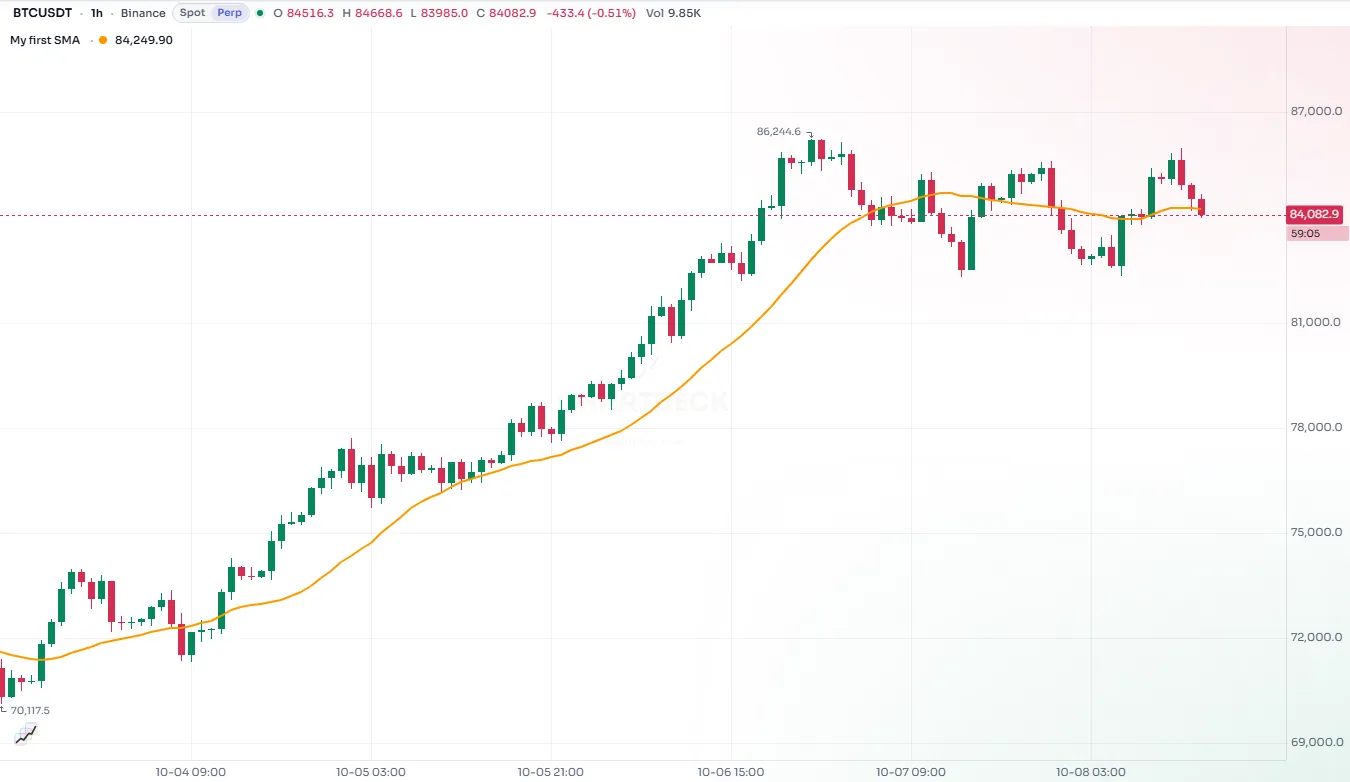
To try it, click New in the editor, choose Blank overlay, replace the text with the script above and watch the chart: with Preview on chart switched on, the line appears as soon as the script compiles. Nothing is saved until you press Save.
#Line by line
#The header line
//@chartscript 1Every script starts with this line. It tells ChartDeck which version of the language the script is written in. Version 1 is the current one. The line lets the language change in the future without breaking scripts you wrote today: a script always runs under the version it declares.
#The declaration
indicator("My first average", { overlay: true })indicator says what kind of script this is and how it appears.
- The first argument is the name. It shows in the chart legend and in My scripts.
{ overlay: true }draws the script on top of the price. Leave it out (or write{ overlay: false }) and the script gets its own pane under the chart, which is what you want for oscillators such as RSI.
The { … } at the end is an options object: settings given by name, as name: value pairs separated by commas. It is always the last argument; the plain arguments come first, in their fixed order, and inside the braces the names can come in any order. Named settings make a script easier to read, so the examples in these pages use them for everything past the first one or two arguments.
#An input
const len = input.int(20, "Length", { minval: 1 })input.int adds a whole-number field to the indicator's settings and gives you its value. 20 is the default, "Length" is the label the user sees and minval: 1 stops anyone from entering zero or a negative number, which would not make sense for an average.
const len = … gives the value a name, len, so the lines below can use it. const says the script never gives len a different value later on. Variables shows let, for a value you change, and state, for a value kept from one bar to the next.
Why an input instead of writing 20 straight into the calculation? Because the person using the indicator can then change it from the settings dialog without touching the code. Changing an input runs the script again with the new value. The Inputs page lists every kind of input.
#A calculation
const avg = ta.sma(close, len)ta.sma is the simple moving average: the mean of the last len values. close is the closing price of the bar.
This is the most important idea in the whole language: the script runs once for every bar, from the oldest bar on the chart to the newest. On each run, close is that bar's close and avg is the average of the 20 closes up to that bar. You write the rule once; ChartScript applies it to every bar and keeps the results as a series. The execution model page explains this in depth.
On the first 19 bars there are not yet 20 closes to average, so avg has no value there. ChartScript calls a missing value na, and a plot simply leaves a gap where its value is na. That is why the line starts a little way into the chart.
#A plot
plot(avg, "SMA", color.accent, 2)plot draws a series as a line. The arguments are the values, the title (shown in the legend and on the Style tab), the color and the line width in pixels.
color.accent is a theme color: it follows the chart's dark, light or high-contrast look on its own. Other theme colors are color.up, color.down, color.muted, color.text and color.grid. You can also use fixed colors such as color.orange or a hex color like #2962ff. See Colors.
Whatever you write here is only the default: the user can change the color and width of every plot on the Style tab.
#Step 2: a second line
One average is useful; two averages tell you more, because you can see when the faster one moves away from the slower one. Add a second input and a second plot:
//@chartscript 1
indicator("My first average", { overlay: true })
const len = input.int(20, "Length", { minval: 1 })
const fastLen = input.int(9, "Fast length", { minval: 1 })
const avg = ta.sma(close, len)
const fast = ta.ema(close, fastLen)
plot(avg, "SMA", color.accent, 2)
plot(fast, "Fast EMA", color.orange, 1)
What changed:
fastLenis a second input, so the settings dialog now has two fields.ta.emais the exponential moving average. It gives more weight to recent bars, so it reacts faster than the simple average of the same length.- A second
plotcall draws the second line. Eachplotis its own line in the legend and on the Style tab, which is why each one gets its own title.
#Step 3: color by condition
Now make the slow line tell you something at a glance: green while the price closes above it, red while it closes below.
//@chartscript 1
indicator("My first average", { overlay: true })
const len = input.int(20, "Length", { minval: 1 })
const fastLen = input.int(9, "Fast length", { minval: 1 })
const avg = ta.sma(close, len)
const fast = ta.ema(close, fastLen)
const above = close > avg
plot(avg, "SMA", above ? color.up : color.down, 2)
plot(fast, "Fast EMA", color.orange, 1)
Two new things:
const above = close > avgis a condition: aboolthat istrueorfalseon each bar.above ? color.up : color.downis the conditional operator. Read it as "ifabove, thencolor.up, otherwisecolor.down". Becauseabovecan be different on every bar, the color can be different on every bar too, and the line changes color exactly where the close crosses it.
The color argument accepts a different value on each bar, so this is all it takes. The Conditionals page covers ?:, if and switch.
#What you learned
- A script starts with
//@chartscript 1and one declaration, hereindicator(...). - The script runs once per bar; names like
closeandavghold that bar's value. constnames a value; settings given by name go in an options object{ name: value }at the end of a call.- One statement per line. A semicolon at the end of a line is allowed but not needed.
- Inputs turn fixed numbers into settings the user can change.
plotdraws a series; its color can change from bar to bar.
#Try this
- Change
overlay: truetooverlay: falseand see the lines move into their own pane. Change it back. - Replace
closewithhl2(the middle of each bar's high and low) and compare. - Add a third line, a 50-bar average, in
color.muted. - Try to make the line wider only while the price is above it (the script below). It does not compile, and that is a useful lesson: a color may change on every bar, but a line width must be a constant or an input. Read the message in the Problems tab, then fade the line instead with
color.new, for examplecolor.new(color.up, above ? 0 : 70).
//@chartscript 1
indicator("Too clever", { overlay: true })
const avg = ta.sma(close, 20)
const above = close > avg
plot(avg, "SMA", color.up, above ? 3 : 1)
When you are happy with it, save it and add it to a chart: see Adding to a chart. Then carry on with Next steps.