

Templates
The list of ChartScript templates - about 50 short, commented scripts in 15 groups that you can open, read, change and save as your own.
A template is a short working script with comments that explain it. You open one, it becomes a new script of your own, and you change it. There are 52 of them in 15 groups, from an empty overlay to tables, drawings, alerts and ChartDeck's derivatives data.
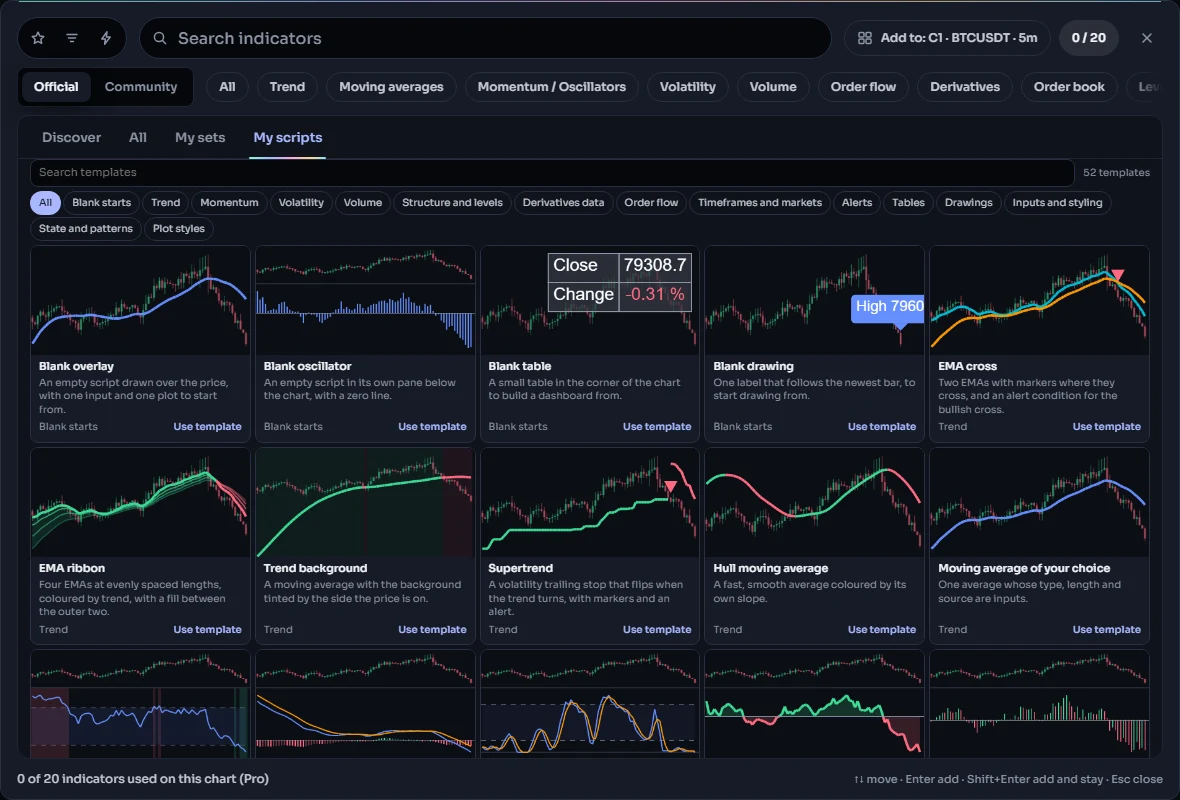
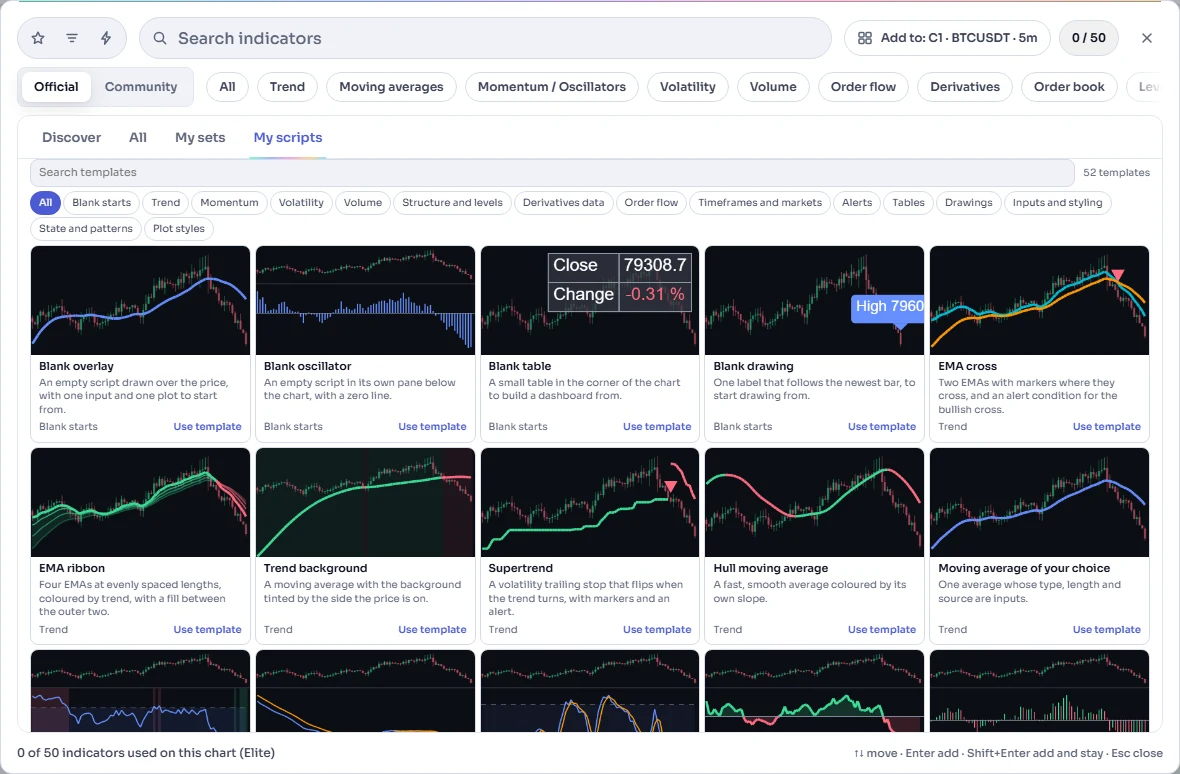
#Finding one
- Click Indicators in the top toolbar (or press
/) and open the My scripts tab. - Under your own scripts is Start from a template.
- Type in Search templates to search the names and descriptions, or click a group chip such as Momentum to see one group. All shows every template again. The counter on the right says how many are shown.
Each card has the template's name, one line about what it does, its group, and a small picture. The picture is the template itself, run on sample bars and drawn the way the chart draws it. A few templates read data that the sample bars do not have (open interest, funding, basis, the long / short ratio, seconds bars); their cards show a plain mark instead of a picture.
You can also reach the list from the editor: New in its tools row lists the first few templates, and All templates… at the end of that menu opens the whole list.
#Using one
Click the card. The dialog closes and the editor opens with the template's code as a new, unsaved script: nothing is stored yet, and the template itself never changes. If the editor already holds unsaved changes, it asks before replacing them.
- Save (Ctrl+S) asks for a name the first time, with the template's title filled in. After that the script is in My scripts like any other.
- Add to chart (Ctrl+Enter) saves it and puts it on the active chart.
- A template counts toward your plan's number of scripts only once you save it.
Every template compiles without an error or a warning as it is, so anything the editor underlines afterwards comes from your own changes.
#The templates
#Blank starts
Nearly empty scripts: the smallest thing that draws, for when you already know what you want to write.
| Template | What it does |
|---|---|
| Blank overlay | An empty script drawn over the price, with one input and one plot to start from. |
| Blank oscillator | An empty script in its own pane below the chart, with a zero line. |
| Blank table | A small table in the corner of the chart to build a dashboard from. |
| Blank drawing | One label that follows the newest bar, to start drawing from. |
#Trend
Averages and trend followers drawn over the price.
| Template | What it does |
|---|---|
| EMA cross | Two EMAs with markers where they cross, and an alert condition for the bullish cross. |
| EMA ribbon | Four EMAs at evenly spaced lengths, colored by trend, with a fill between the outer two. |
| Trend background | A moving average with the background tinted by the side the price is on. |
| Supertrend | A volatility trailing stop that flips when the trend turns, with markers and an alert. |
| Hull moving average | A fast, smooth average colored by its own slope. |
| Moving average of your choice | One average whose type, length and source are inputs. |
#Momentum
Oscillators in their own pane.
| Template | What it does |
|---|---|
| RSI with bands | RSI in its own pane with 70 / 30 bands and a background tint when it is outside them. |
| MACD | MACD and signal lines with a histogram in four shades. |
| Stochastic RSI | Where the RSI sits in its recent range, with %K and %D. |
| Rate of change | Percent change over N bars as a two-color baseline area. |
| Momentum lollipops | Momentum drawn as stems with a dot, colored by direction. |
#Volatility
Bands and channels built from how far the price moves.
| Template | What it does |
|---|---|
| Bollinger Bands with squeeze | Bollinger Bands that highlight when they are at their narrowest. |
| Keltner channel | An EMA with bands of average true range. |
| ATR stop bands | Stepped stop levels a multiple of the average true range from the close. |
| Donchian breakout | The highest high and lowest low of N bars, with breakout markers and alerts. |
#Volume
What the traded volume says.
| Template | What it does |
|---|---|
| Volume spikes | Volume columns that highlight bars far above the average, with an alert. |
| VWAP with bands | The daily volume-weighted average price with standard deviation bands. |
| On-balance volume | OBV colored by the side of its average it is on. |
#Structure and levels
Swing points, yesterday's levels, sessions and zones.
| Template | What it does |
|---|---|
| Pivot highs and lows | Labels on swing highs and lows, and the latest of each as a level. |
| Previous day high and low | Yesterday's high, low and close as levels, with alerts when they break. |
| Session range box | A box around the high and low of a session you choose. |
| Fair value gaps | Boxes on three-bar gaps the price left without trading. |
| Simple order blocks | Marks the last opposite candle before a strong move as a zone. |
#Derivatives data
Open interest, funding, basis, positioning and liquidations: ChartDeck's own series, read like close. See ChartDeck data for what each plan includes.
| Template | What it does |
|---|---|
| Open interest change | Percent change of open interest over N bars. On every plan; how far back depends on your plan. |
| Funding rate | The funding rate with extremes highlighted and an alert. On every plan; how far back depends on your plan. |
| Perpetual basis | How far the perpetual trades from spot. On every plan; how far back depends on your plan. |
| Long / short ratio | Accounts long against short, all traders and top traders. Needs Pro or Elite. |
| Liquidations | Liquidated longs and shorts per bar, with a spike alert. Needs Pro or Elite. |
#Order flow
Buy volume against sell volume, from the taker-buy volume that comes with the chart's bars.
| Template | What it does |
|---|---|
| Volume delta | Buy volume minus sell volume on each bar. |
| Cumulative volume delta | The running total of delta, restarted each day. |
| Buy share of volume | The share of volume bought at the ask, around a 50% line. |
#Timeframes and markets
Values from another timeframe or another market. Each request counts toward your plan's extra timeframes or markets per script; see Other timeframes and markets.
| Template | What it does |
|---|---|
| Higher-timeframe EMA | An EMA from a higher timeframe shown on this chart, without repainting. |
| Higher-timeframe range | The forming higher-timeframe high and low as range bars. |
| Performance against Bitcoin | This market and Bitcoin as percent change, and the difference. |
| 10-second pulse | Reads 10-second bars from a minute chart. Needs Plus, Pro or Elite. |
#Alerts
Scripts whose point is an alert. See Alerts.
| Template | What it does |
|---|---|
| Price level alerts | No drawing: two alert conditions for when the price crosses a level you choose. |
| RSI alerts | Four alert conditions on RSI levels you choose. |
| Alert with live values | An alert message that carries the price and the size of the move. |
#Tables
Numbers in a table in a corner of the chart.
| Template | What it does |
|---|---|
| Market dashboard | Trend, RSI, volatility and volume in a small table. |
| Trend on four timeframes | Above or below the 50 EMA on 15m, 1h, 4h and 1D, in a table. |
#Drawings
Labels, lines and boxes. See Drawings.
| Template | What it does |
|---|---|
| Last price label | A label beside the newest bar with the price and the day's change. |
| Swing lines | Lines joining each swing high and low to the one before. |
| Recent range box | A box around the high and low of the last N bars. |
#Inputs and styling
Settings a script offers, and settings that change how it looks.
| Template | What it does |
|---|---|
| Inputs and styling | Grouped inputs of many kinds, and inputs that set a plot's color, width and dashes. |
#State and patterns
Values a script keeps from bar to bar.
| Template | What it does |
|---|---|
| Up-bar streak | Counts consecutive up bars with state and keeps the best streak so far. |
| Updates per bar | Counts how often the price changed while each bar was open, with live state. |
#Plot styles
The plot styles side by side. See Plots.
| Template | What it does |
|---|---|
| Plot styles gallery | Baseline, smooth, markers, lollipop and range bars side by side. |
| Smooth swing curve | A smooth curve through swing highs and another through swing lows. |
#What a plan changes
The templates are the same on every plan, and every one of them opens, saves and runs on every plan. What differs is the data some of them read:
- Long / short ratio and Liquidations read series that are part of Pro and Elite. On other plans their plots stay empty and the legend says why.
- 10-second pulse reads seconds bars, which are part of Plus, Pro and Elite.
- Open interest change, Funding rate and Perpetual basis work on every plan; how far back their data goes depends on your plan.
- Templates in Timeframes and markets, and Trend on four timeframes, ask for other timeframes or another market. The number of those a script may ask for depends on your plan.
The exact numbers are on the Limits page.
#Where to go next
- Your first script walks through opening a template, changing it and saving it.
- Plots explains every plot style the templates use.
- Editor tour covers the editor part by part.