

Levels
Draw fixed horizontal levels with hline(), style them solid, dashed or dotted, let users move them, and shade the band between two levels.
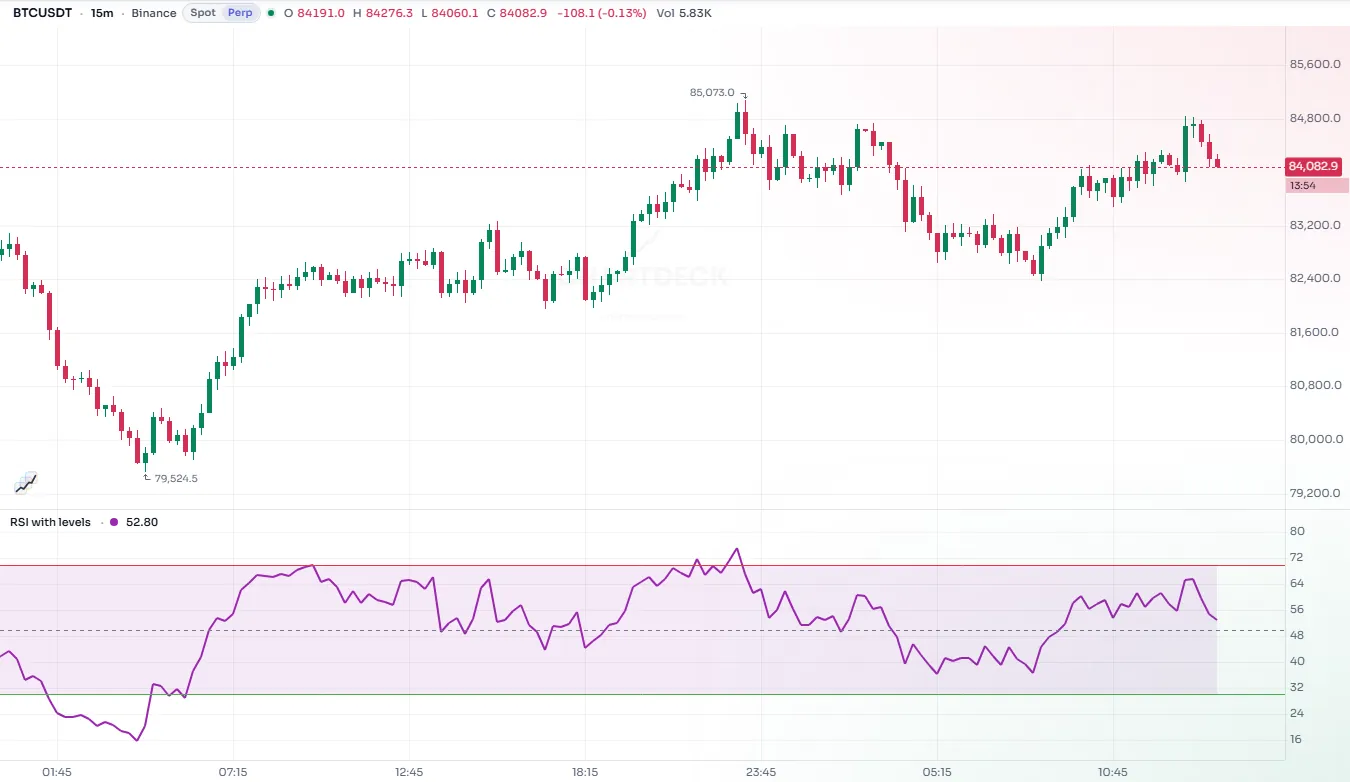
A level is a horizontal line at a fixed value across the whole pane: the 70 and 30 lines of an RSI, the zero line of a momentum oscillator, a round-number price. You draw one with hline.
A level differs from a plot of a constant in two ways. It spans the full width of the pane, edge to edge, rather than running from bar to bar. And it is cheap: it does not count towards the plot cap and stores no value per bar.
#A first level
//@chartscript 1
indicator("Stochastic with levels", { overlay: false })
const k = ta.sma(ta.stoch(close, high, low, 14), 3)
const d = ta.sma(k, 3)
plot(k, "%K", color.accent, 2)
plot(d, "%D", color.orange)

const hiLine = hline(80, "Overbought", color.muted, hline.style_dashed)
const loLine = hline(20, "Oversold", color.muted, hline.style_dashed)
hline(50, "Middle", color.new(color.muted, 50), hline.style_dotted)
fill(hiLine, loLine, color.new(color.accent, 94), "Range")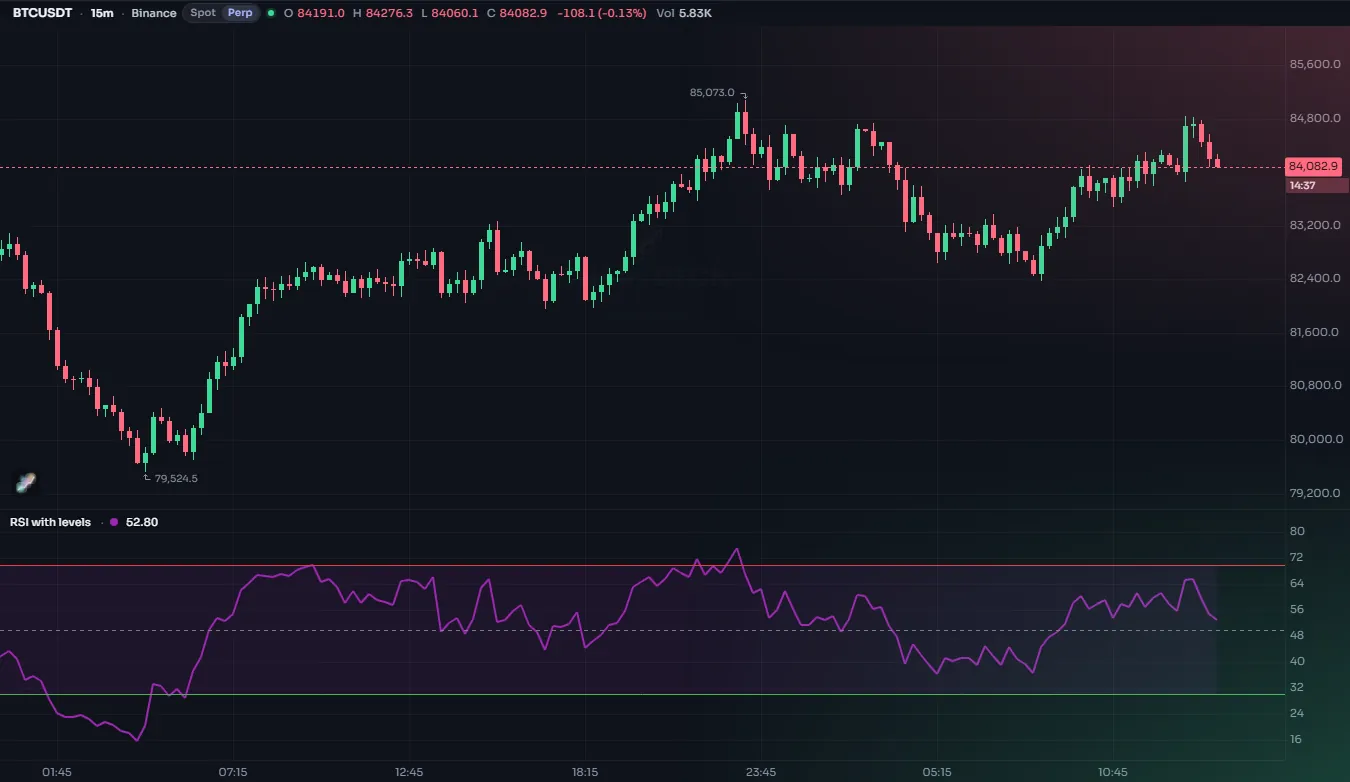
#The arguments
| Argument | What it does | Default |
|---|---|---|
price | The value of the level. Must be a constant or an input. | required |
title | The name in the Style tab. | "" |
color | The color. Must be a constant or an input. | the theme's guide color |
linestyle | hline.style_solid, hline.style_dashed, hline.style_dotted, or a dash.* pattern | solid |
linewidth | Width in pixels | 1 |
display | display.all or display.none (may be an input) | display.all |
look, variant | A named style made with style.line or style.plot | none |
editable is accepted and changes nothing: levels are always editable in the Style tab.
#Line styles
The three hline.style_* constants cover most needs. The dash.* set from plots also works here, including your own pattern with dash.custom(...):
//@chartscript 1
indicator("Level styles", { overlay: false })
plot(ta.cci(close, 20), "CCI", color.accent, 2)
hline(100, "Upper", color.down, hline.style_solid, 2)
hline(0, "Zero", color.muted, hline.style_dotted)
hline(-100, "Lower", color.up, dash.dashdot, 2)#Levels the user can move
The price of a level must be known before the script runs: a number, or an input. An input is the right choice when users have their own idea of where "overbought" is:
//@chartscript 1
indicator("RSI, adjustable levels", { overlay: false })
const upperLevel = input.float(70, "Upper level", { minval: 50, maxval: 100 })
const lowerLevel = input.float(30, "Lower level", { minval: 0, maxval: 50 })
const lineCol = input.color(color.muted, "Level colour")

plot(ta.rsi(close, 14), "RSI", color.accent, 2)
hline(upperLevel, "Upper", lineCol, hline.style_dashed)
hline(lowerLevel, "Lower", lineCol, hline.style_dashed)
The color, width and line style of a level may be inputs too. Those are applied on the chart, so changing them restyles the level without running the script again.
A level cannot follow the data. If you need a horizontal line that moves (yesterday's high, the open of the session), use a plot with plot.style_linebr or a line drawing. Trying to give hline a series is error CS2104:
//@chartscript 1
indicator("A moving level")
hline(ta.sma(close, 20), "Average")
The same rule applies to the color: a level has one color for all bars.
#Filled bands between levels
Keep the result of hline in a variable and pass two of them to fill to shade the band between them. The fill's color, unlike the level's, may change from bar to bar, so a band can light up only when it matters:
//@chartscript 1
indicator("RSI zone alert", { overlay: false })
const rsi = ta.rsi(close, 14)
plot(rsi, "RSI", color.accent, 2)
const top = hline(70, "Overbought", color.muted, hline.style_dashed)
const bottom = hline(30, "Oversold", color.muted, hline.style_dashed)

// the band is faint normally and stronger while the RSI is outside it
const outside = rsi > 70 || rsi < 30
fill(top, bottom, outside ? color.new(color.orange, 80) : color.new(color.accent, 94), "Zone")
A fill joins two levels or two plots, never one of each. For the mixed case, see Fills.
#Hiding a level
color: na hides a level completely. It is still there, so it can still bound a fill. This is a neat way to shade a zone without drawing its edges:
plot(ta.rsi(close, 14), "RSI", color.accent, 2)
const a = hline(60, "Zone top", { color: na })
const b = hline(40, "Zone bottom", { color: na })
fill(a, b, color.new(color.muted, 90), "Neutral zone")
For a level the user can switch off, use a display input: display: showLevels ? display.all : display.none.
#How many levels
There is no small cap on levels. The first 12 levels of a script are handed to the chart as the indicator's own levels; any after that are drawn by the script itself. You will not see a difference, but a script with dozens of levels is usually better served by drawings or plots.