

Tutorial: multi-timeframe trend
Read an EMA from a higher timeframe with request.tf, plot it on a lower-timeframe chart, color by trend, and learn which at mode avoids repainting.
A common habit is to trade on a short timeframe but only in the direction of a longer one: take long trades on the 15-minute chart only while the 4-hour trend is up. In this tutorial you read a 4-hour EMA and close into a script running on any lower timeframe chart, draw the EMA as a step line, tint the background by trend and add alerts for when the trend turns.
You also meet the most important idea about other timeframes: when a higher-timeframe value becomes known, and how to avoid a script that looks better on history than it ever was live.
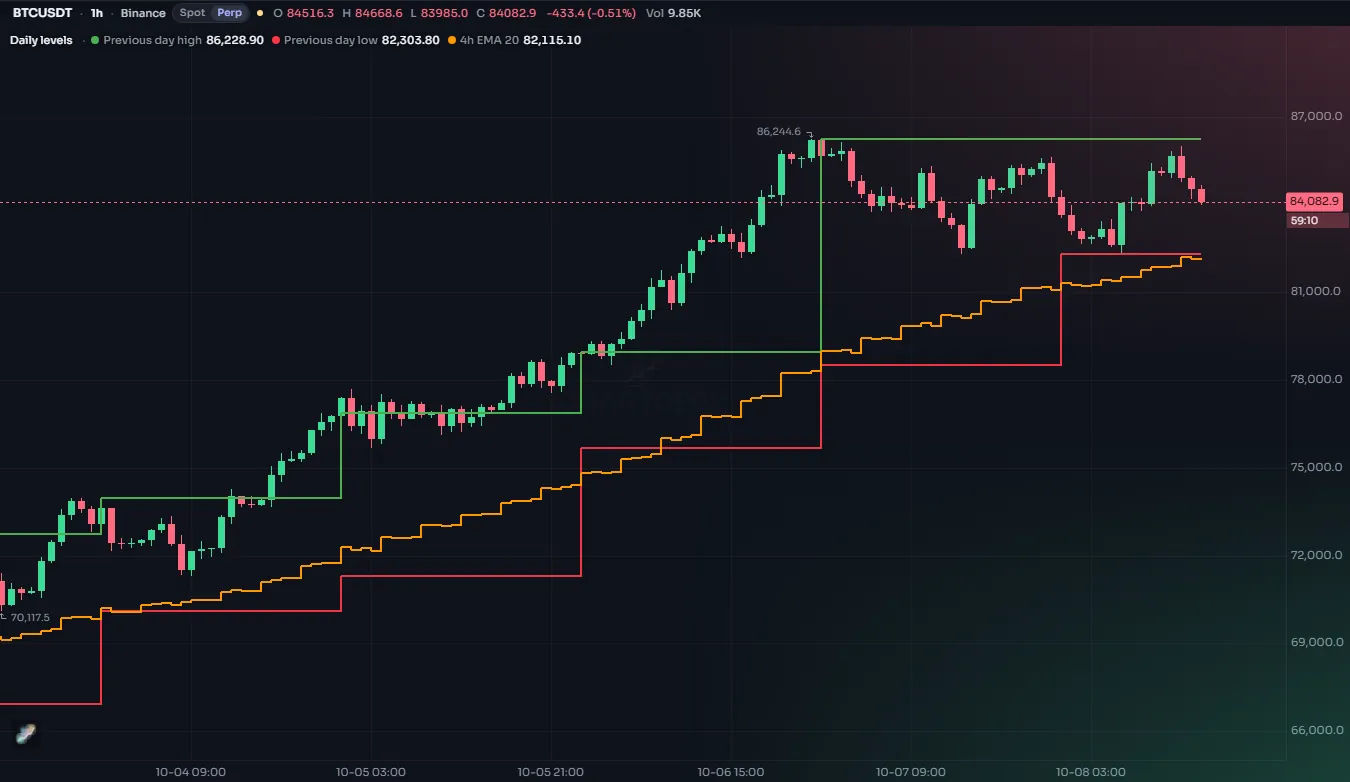
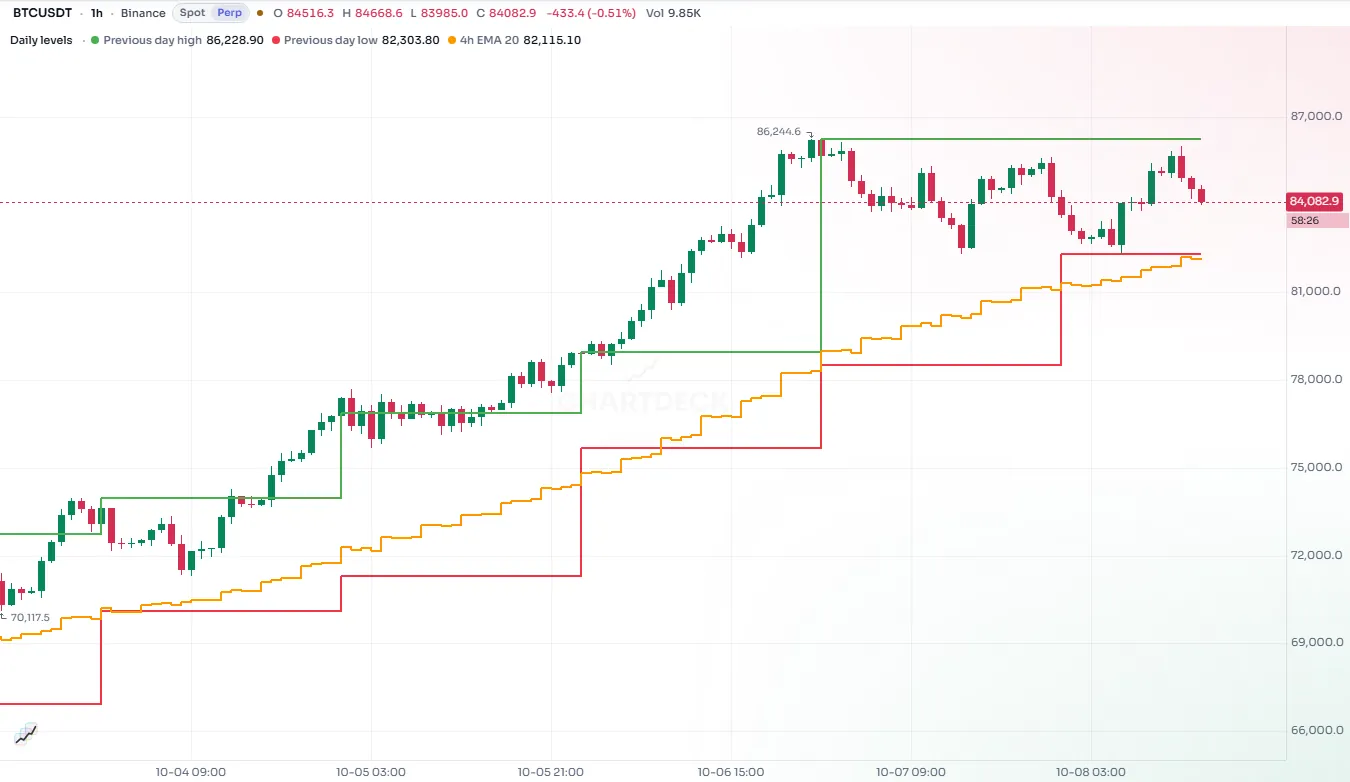
#The finished script
//@chartscript 1
indicator("Higher timeframe trend", { shorttitle: "HTF trend", overlay: true })
const tf = input.timeframe("240", "Higher timeframe")
const len = input.int(50, "EMA length", { minval: 1 })

// both values come from the higher timeframe's own bars
const [htfEma, htfClose] = request.tf(tf, [ta.ema(close, len), close])

const trendUp = htfClose > htfEma
const trendCol = trendUp ? color.up : color.down

plot(htfEma, "HTF EMA", trendCol, 2, plot.style_stepline)
plot(ta.ema(close, len), "Chart EMA", color.muted)
bgcolor(na(htfEma) ? na : color.new(trendCol, 93), { title: "Trend tint" })

alert.on(trendUp && !trendUp[1], "Trend turned up", "{{ticker}} closed above the higher timeframe EMA")
alert.on(!trendUp && trendUp[1], "Trend turned down", "{{ticker}} closed below the higher timeframe EMA")
Add it to a 15-minute or 1-hour chart. The colored step line is the 4-hour EMA; the thin gray line is an EMA of the same length on the chart's own bars, for comparison.
#Walk-through
#Choosing the timeframe
const tf = input.timeframe("240", "Higher timeframe")input.timeframe gives a timeframe picker. Timeframes are written as strings: minutes as a number ("15", "60", "240"), and "1D", "1W", "1M" for a day, week and month. "240" is 4 hours. An empty string "" means the chart's own timeframe.
#Asking for another timeframe
const htfEma = request.tf("240", ta.ema(close, 50))
plot(htfEma, "4h EMA", color.accent, 2, plot.style_stepline)
request.tf(timeframe, expression) works out expression on the bars of that timeframe and hands the result to each chart bar. Inside the expression, close is the 4-hour close and ta.ema(close, 50) is a 50-bar EMA of 4-hour bars: that is, 200 hours, not 50 chart bars. This is the whole point, and the most common surprise: the calculation runs in the requested timeframe, not on the chart.
To get two values from the same timeframe, ask for a tuple and unpack it:
const [htfEma, htfClose] = request.tf("240", [ta.ema(close, 50), close])
plot(htfEma, "4h EMA")
plot(htfClose, "4h close")
Asking once for both is tidier than two separate requests, and both values are guaranteed to come from the same 4-hour bar. To read another market rather than another timeframe, use request.market with a VENUE:SYMBOL name. See Other timeframes and markets.
#Trend, color and alerts
trendUp compares the 4-hour close with the 4-hour EMA. The step line and the background tint take its color. The plot.style_stepline style suits a value that only changes every few bars: it holds flat and then jumps, which is honest about what the data is.
The two alert.on lines fire on the chart bar where trendUp changes, which happens at most once per 4-hour bar.
#When does a higher timeframe value become known?
On a 15-minute chart, sixteen chart bars make up one 4-hour bar. While that 4-hour bar is still forming, its close is not known yet. So what should the first fifteen of those chart bars see? request.tf has an at argument for exactly this question:
at | What each chart bar sees | Repaints? |
|---|---|---|
request.close (default) | the value from the last higher bar that had closed by the time the chart bar opened | no |
request.start | the value as it was known when the current higher bar opened (only allowed when the compiler can prove it) | no |
request.developing | the higher bar so far: it moves on every chart bar until the higher bar closes | yes, while the bar is open |
#The default: request.close
With the default, every chart bar sees the EMA of the last completed 4-hour bar. The line changes once, when a 4-hour bar closes, and what you see on old bars is exactly what you would have seen live. That is why it is the default, and why this tutorial uses it.
#request.developing: live, but it moves
const htfNow = request.tf("240", ta.ema(close, 50), { at: request.developing })
plot(htfNow, "4h EMA (developing)", color.orange)
at: request.developing gives the 4-hour EMA as if the 4-hour bar closed right now. It reacts sooner, but on the live bar its value keeps moving until the 4-hour bar closes, so a trend flip you see at 10:15 may be gone by 11:00. On history, each chart bar shows the value as it was at that chart bar's close, so history matches what you would have seen live, but a signal built on it can appear and then disappear during a bar.
#request.start: only what was known at the open
at: request.start gives the value as known when the 4-hour bar opened. That is safe only for values that really are known at that moment, such as the open, or anything from earlier bars. The compiler checks this, and refuses a value that is not yet known, such as an EMA that includes the current close:
//@chartscript 1
indicator("Too early", { overlay: true })
plot(request.tf("1D", ta.ema(close, 50), { at: request.start }))
Reading the previous bar's value with [1] is accepted, because it was final when the new bar opened:
const prevEma = request.tf("1D", ta.ema(close, 50)[1], { at: request.start })
plot(prevEma, "Yesterday's EMA", color.muted)#What repainting means
A script repaints when what it shows on past bars is different from what it showed on those bars while they were live. A repainting indicator can look excellent on history and be much worse in real time, because history quietly uses information the live chart did not have yet. The default request.close is designed so this does not happen. Read Repainting before you build anything you will act on.
#Things to know
- Warm-up. A 50-bar EMA on 4-hour bars needs 50 four-hour bars of history. ChartDeck loads the extra history for the request on its own; until it arrives the value is
naand nothing is drawn. - Use a higher timeframe. A request for a timeframe lower than the chart's works differently (see Other timeframes and markets). For this tutorial, pick a timeframe above the chart's.
- There is a limit on contexts. Each different market and timeframe a script requests counts towards a per-script limit that depends on your plan. See Limits.
#Try this
- Compare modes: add a second plot with
at: request.developingin another color and watch how the two differ on the live chart. - Use two higher timeframes: a 1-hour EMA and a daily EMA. Tint the background green only when both trends are up.
- Plot the higher timeframe's RSI on a pane of its own:
request.tf(tf, ta.rsi(close, 14))in a script withoverlay: false. - Read the same EMA from another market, such as the leading coin of the sector, with
request.market, and only show the trend when both markets agree.